Native Sound Mixer
Per-app volume for the Mac, in a Sound module that looks and behaves like Apple's own. Each app gets its own slider and its own output. Quit the app and Apple's Sound module comes back.
- added audio delay, down from ~45 ms
- ~4 ms
- CPU while idle
- 0.0%
- sRGB levels from Apple's module on macOS 27
- 0.3
- drivers or kernel extensions
- 0
macOS has never had per-app volume.
A video call is too loud while music is too quiet, and the Mac gives you one slider for both. The tools that fix this usually add a second, foreign-looking panel next to Apple's.
We wanted the fix to live where you already reach for sound: Control Center. The catch is that Control Center cannot be extended, and its controls can only be buttons or toggles, never sliders.
Spot the difference
Drag across the image. One side is Apple's Control Center, the other is ours with the Sound module replaced.
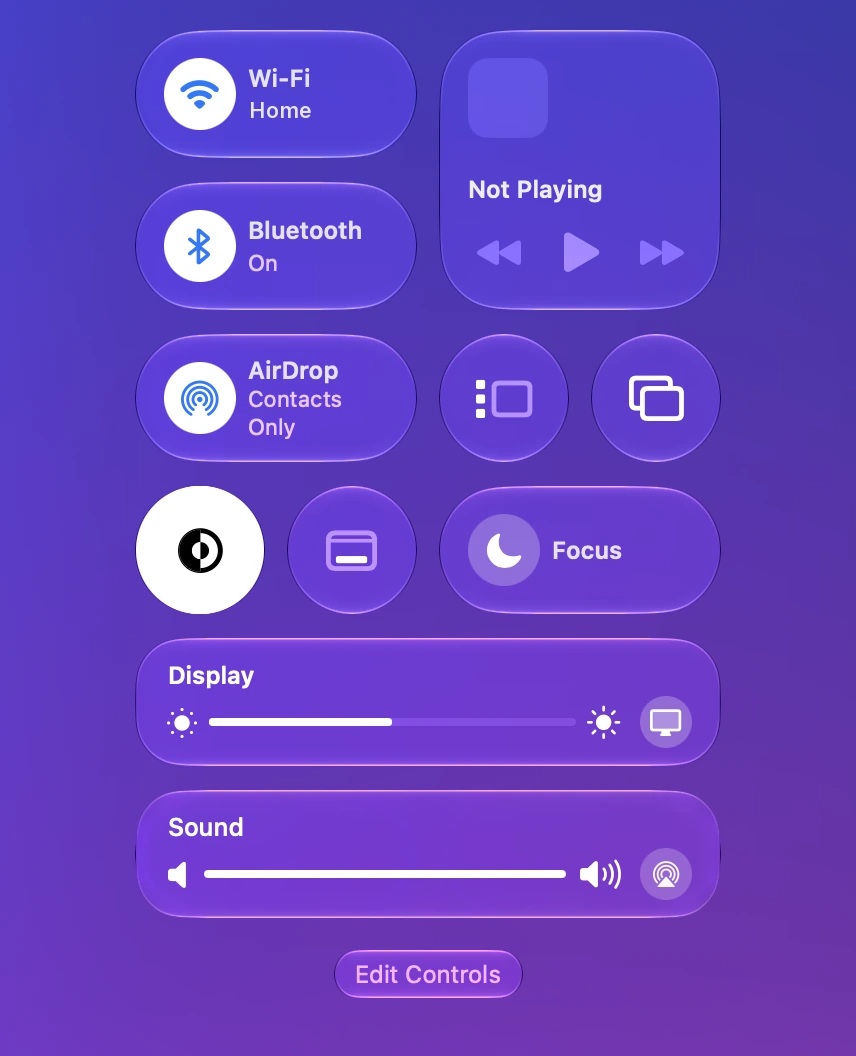 AppleNative Sound Mixer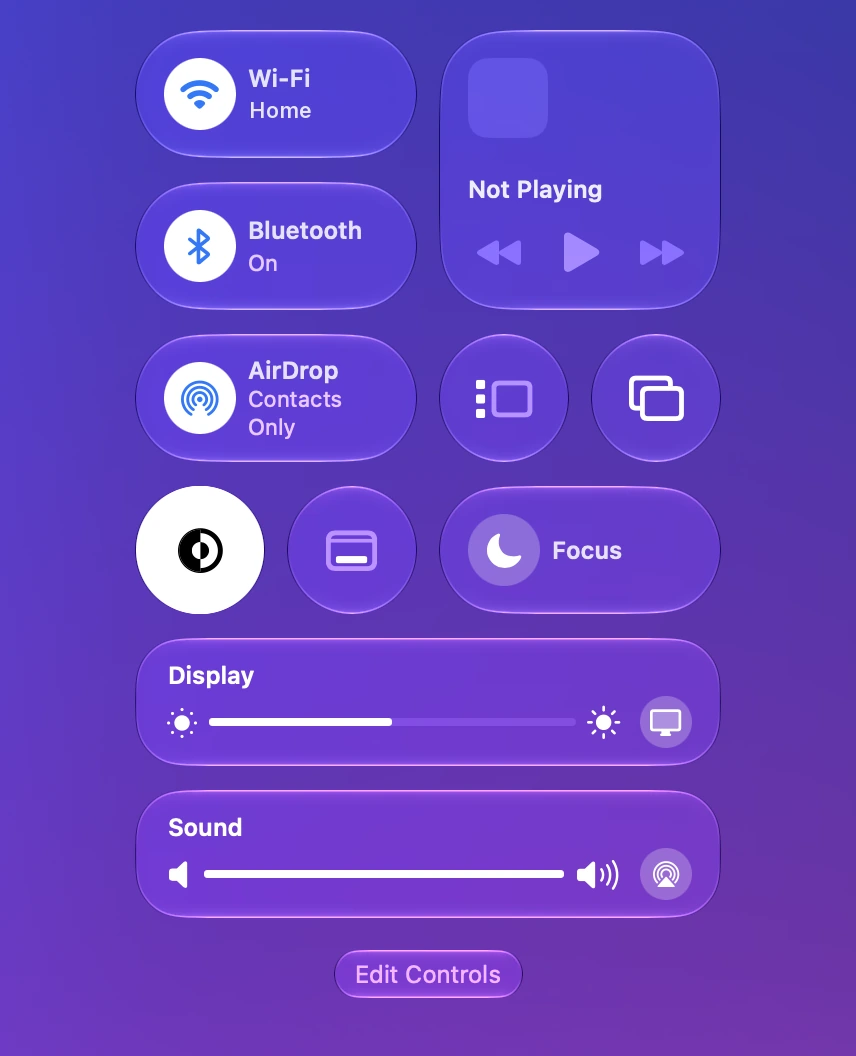
How we built it
There is no driver, no audio plug-in and no kernel extension. Each app gets a private Core Audio process tap that silences its original output, a private aggregate device clocked to that app's real output device, and an IO callback that copies the tap to the output multiplied by a gain. The gain ramps across each buffer so a moving slider never clicks. Taps bind to the device stream and run 64-frame buffers.
For Control Center, the app places two Medium control tiles side by side: 2 × 140 + 12 = 292 points, exactly the width of Apple's module. A click-through window draws the Sound module on top, positioned from the tiles' frames as the Accessibility API reports them. Setup swaps the modules in one click and quitting puts Apple's back.
It is written in Swift with SwiftUI and AppKit, updates through Sparkle and checks its licence offline against an Ed25519 signature.
- Swift
- SwiftUI + AppKit
- Core Audio process taps
- Aggregate devices
- Accessibility API
- WidgetKit controls
- Sparkle
- Ed25519 licences
A parity harness for glass
Control Center's glass picks up colour from whatever is behind it, so matching it on one wallpaper proves nothing. The harness puts 15 solid backdrops behind Control Center, from white through greys to saturated hues, opens Apple's module and then ours in light and dark mode, and samples the pixels.
It then fits a map from backdrop colour to glass colour for both, compares them, and writes corrective colour matrices into the app for each macOS release. Errors are measured in sRGB levels from 0 to 255.
| Measurement | Before | After |
|---|---|---|
| Panel, macOS 26.4, mean error | 18 | 0.7 |
| Panel, macOS 26.4, worst error | 47 | 1.8 |
| Module, macOS 26.4 | 3 | 0.6 |
| Seam between the tiles, macOS 26.4 | 20 | ~3 |
| Panel, macOS 26.1 | 22 | 2 |
| Module / gap / panel, macOS 27 | · | 0.3 / 0.6 / 0.3 |
Numbers are not the whole story. One release matched within about 10 levels but its outline looked jagged, so it was rolled back. Any change to the look now needs a measurement and a human sign-off.
One app, its own output
What was hard
Core Audio has opinions
The audio daemon refuses to create taps while any audio permission prompt is on screen, and apps routed to a Multi-Output device went silent until version 1.0.5.
Control Center fights back
Edit Controls mode hides every third-party window. On a fresh Mac, tiles render as dashed placeholders until Edit Controls has been opened once, so setup now opens it for you.
Every macOS changes the glass
macOS 26.1, 26.4 and 27 each render the glass differently. The harness exists because of this.
Idle should mean idle
Hidden SwiftUI views were costing 8 to 11% CPU. A menu bar app has no business doing that, and idle CPU is now 0.0%.
What we paid extra attention to
Feels like Apple's
The main slider, the output list and AirPlay behave exactly like the original, in light and dark mode.
Per-app outputs
Send a call to your headphones and music to the speakers. Each app's choice is remembered.
Private by design
Nothing is recorded or sent. The licence is checked offline, there are no analytics, and the only network request is the daily update check.
Fair pricing
A one-time purchase with no subscription, free updates through macOS 28 and a 14-day refund. Sold directly, not through a store.
Requires a Mac with Apple silicon and macOS 26 Tahoe or later.
Have something worth building?
